
How to Put Your Website on Your Own Domain
A plain-English guide to buying a domain and connecting it to your website, with SSL, without breaking your email.
Short answer: to put your website on your own domain, buy a domain from a registrar, connect it in your website builder's settings, then update your domain's DNS records as your builder instructs. SSL is usually set up for you automatically. The whole process takes about 15 minutes of work, and the change can take from a few minutes to a day to reach everyone.
Step 1: Choose and buy a domain
- Keep it short and easy to say. Your business name is usually best.
- .com.au or .com? If you trade in Australia, .com.au signals you're local and is what many customers expect. You'll need an ABN or ACN to register one. A .com suits businesses with customers overseas. Many businesses buy both and point one at the other.
- Avoid hyphens and odd spellings that people will get wrong.
- Buy it in your own name, not your web designer's. You should always own your domain.
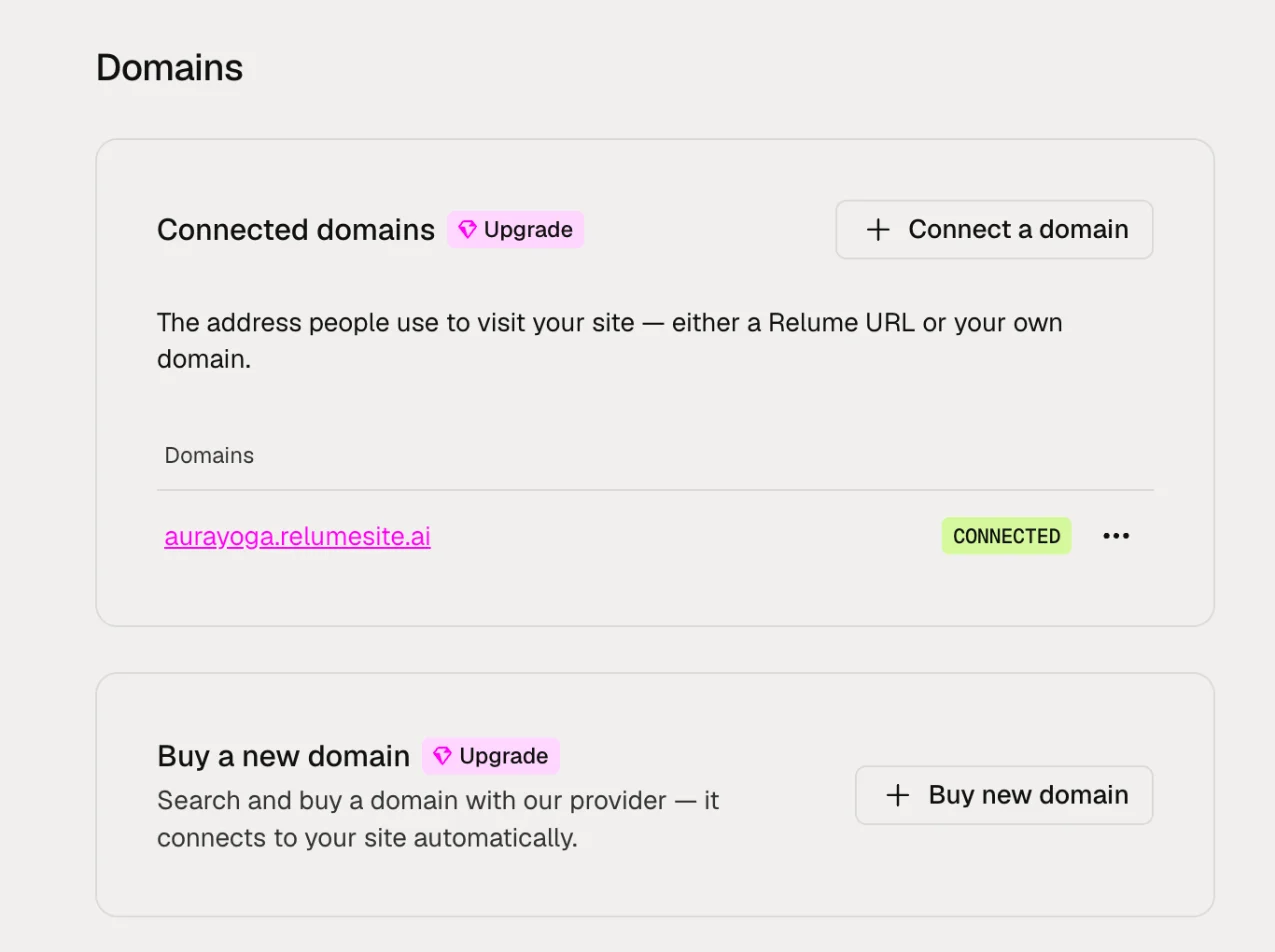
You can buy a domain from any domain registrar. Expect to pay roughly $15 to $50 a year. In Relume, you can also buy a new domain directly from your site settings, and it connects to your site automatically.
Step 2: Connect the domain in your website builder
In your builder, find the domain or publishing settings and add your domain. Your builder will then show you the DNS records you need to add at your registrar. On Relume, connecting your own domain is part of Launch hosting, which costs US$14 per site per month billed yearly, or US$16 billed monthly.
Step 3: Update your DNS records
DNS is like the phone book of the internet. It tells browsers where to find your website when someone types your domain. Log in to your registrar, open the DNS settings for your domain and add the records your builder gave you. These are usually:
- An A record or CNAME record that points your domain to your builder.
- A CNAME for www, so both yourbusiness.com.au and www.yourbusiness.com.au work.
Copy the values exactly. A single wrong character will stop it working.
Step 4: Wait for the change to spread
DNS changes can take anywhere from a few minutes to 24 hours to reach every network, though most work within an hour. Your builder will usually show when the domain is connected.
Step 5: Check SSL is working
Once connected, your builder should set up SSL automatically. Visit your site and check for the padlock in the browser address bar. On Relume, SSL is set up and renewed for you.
Keep your email working
If you already use email on your domain, such as you@yourbusiness.com.au, don't delete or change your MX records. They control where your email goes. Only add or change the records your website builder asks for. If your old hosting company also runs your email, set up email elsewhere before you cancel that hosting. Our guide to replacing an outdated business website covers this step by step.
Troubleshooting
- Site not loading after a day? Check the DNS values match exactly, with no extra spaces.
- Old site still showing? Clear your browser cache or try on your phone using mobile data.
- No padlock? SSL can take a little longer than the domain itself. Give it an hour, then contact your builder's support.
- Can't log in to your registrar? If someone else set up your domain, ask them to transfer access to you.
FAQ
Do I need to buy a domain from my website builder?
No. You can buy a domain from any registrar and connect it to your builder.
Can I use a domain I already own?
Yes. Connect it in your builder's settings and update its DNS records.
Will connecting a new website affect my email?
Not if you leave your MX records alone. Only change the records your website builder asks for.
How much does it cost to use my own domain?
You pay your registrar for the domain each year, plus your builder's plan for hosting on that domain. On Relume, Launch hosting is US$14 per site per month billed yearly, or US$16 billed monthly.